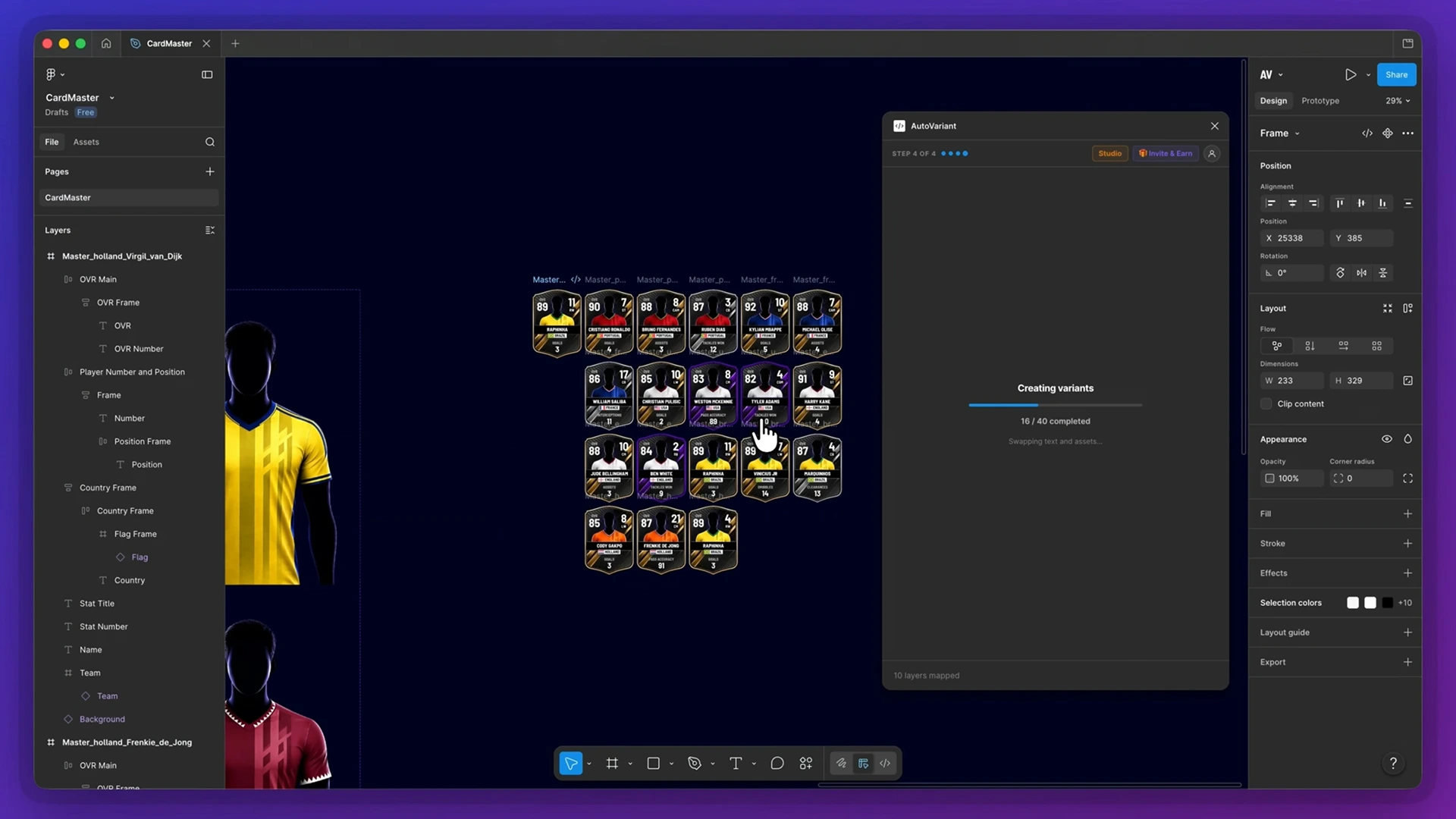
Create one master design, connect your data and generate every variation with text, images and components.
01
Design once
Build your master design in Figma as normal, keeping your existing layers, components and Auto Layout.
02
Map your data
Prepare your data in Google Sheets, Excel or another spreadsheet tool, export it as CSV, then map text, images and components to your design.
03
Generate everything
Generate with custom output naming while keeping components connected to their master — fully editable and intact.
Testimonials
Trusted by teams creating at scale.
See how AutoVariant is helping teams save time on repetitive design production.
“
Working in the sports industry, we have to create thousands of assets. Using AutoVariant has saved us weeks of work. The plugin paid for itself within the first batch of assets we generated.
Designer — Sports Industry
“
I had a task to create over 500 individual images for every desk at work. I love the control AutoVariant gives you, and the automatic file naming was a really nice bonus - that alone saved me days of work.
Marketing — Corporate
Pricing
Start free. Scale when ready.
Included in every plan:Custom output naming · Components stay connected · Auto Layout preserved
AutoVariant works with standard CSV files. Prepare your data in a spreadsheet, then import the CSV to map your data to your Figma design.
Yes. Prepare your data in Google Sheets, Excel or another spreadsheet tool, then export it as a CSV and import it into AutoVariant.
Yes. Free lets you test text and image population with up to 5 outputs per batch. Pro provides unlimited text population, while Studio provides unlimited text and image population.
Yes. AutoVariant works with Figma components while keeping component instances connected to their main component.
Yes. Generated designs remain editable in Figma. Components stay connected to their main component and Auto Layout is preserved, so you can continue working with your designs after generation.
Studio includes unlimited outputs. Very large generations may still be affected by Figma file size and performance.
Yes. You can upgrade or downgrade your plan as your workflow changes.
 spreadsheet data
into
hundreds
of Figma designs
spreadsheet data
into
hundreds
of Figma designs